

 Image 1 of 1
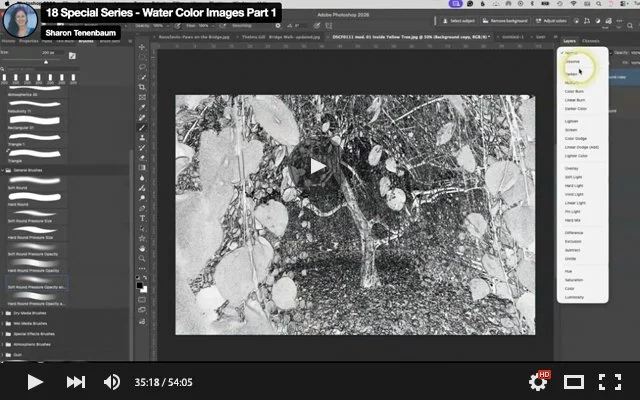
Today in our Special Series, we explored the fascinating process of reverse-engineering watercolour photographs. Using Colin Smith's excellent tutorial as our guide, we recreated his workflow with great success while learning several valuable Photoshop techniques along the way.
One of the highlights of the session was learning how to create, customize, and modify our own Photoshop brushes—an incredibly useful skill that extends far beyond watercolour effects. It was a fun, creative session, and I can't wait to see what everyone comes up with over the next week!
To watch Colin Smith's complete tutorial on creating watercolour images, visit:
https://photoshopcafe.com/turn-photo-watercolor-painting-photoshop/
I've also attached a summary of the workflow (algorithm) from his video for easy reference.
Assignment
Please upload your creative attempts to the designated folder below. Files should be:
Photoshop (.PSD) format
72 ppi
2000 pixels on the longest side
LINK TO FOLDER: https://drive.google.com/drive/folders/1PGpe2NpI_BK6ehitMBhXF4tkarusCHq4?usp=sharing
If time permits, please submit up to three images. I'm really looking forward to seeing your creative interpretations!
Today in our Special Series, we explored the fascinating process of reverse-engineering watercolour photographs. Using Colin Smith's excellent tutorial as our guide, we recreated his workflow with great success while learning several valuable Photoshop techniques along the way.
One of the highlights of the session was learning how to create, customize, and modify our own Photoshop brushes—an incredibly useful skill that extends far beyond watercolour effects. It was a fun, creative session, and I can't wait to see what everyone comes up with over the next week!
To watch Colin Smith's complete tutorial on creating watercolour images, visit:
https://photoshopcafe.com/turn-photo-watercolor-painting-photoshop/
I've also attached a summary of the workflow (algorithm) from his video for easy reference.
Assignment
Please upload your creative attempts to the designated folder below. Files should be:
Photoshop (.PSD) format
72 ppi
2000 pixels on the longest side
LINK TO FOLDER: https://drive.google.com/drive/folders/1PGpe2NpI_BK6ehitMBhXF4tkarusCHq4?usp=sharing
If time permits, please submit up to three images. I'm really looking forward to seeing your creative interpretations!