

 Image 1 of 1
Today we helped Geri with executing her vision in two images. We saw how the Rotation AI works, and hopefully Geri will have some progress to share with us next week!
-We also tackled Jeff Berger's B&W image and saw how we can enhance it with Gradients. The difference in scenarios when using the Gradient Adjustment Layer.
-We revisited Eveline's image from last week and saw how, with just basic tools and skills, we can enhance the post-processing.
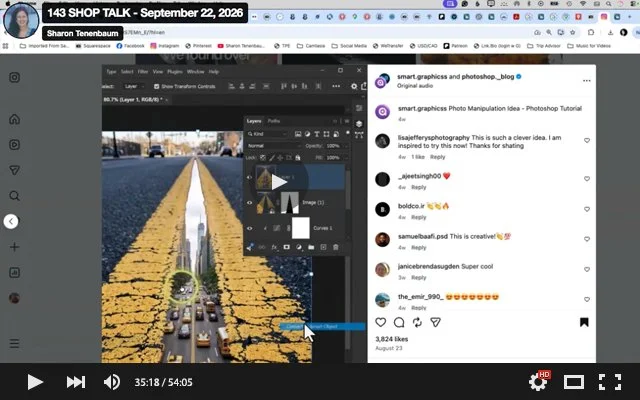
Lastly! Sharon shared with the group a short video on creating surreal composites. It has rudimentary masking but the vision is challenging. I would like to challenge you all to create your own images and dont forget to use the Tilt Shift Filter!
The video: https://www.instagram.com/reel/DcYHS7EMn_E/?utm_source=ig_web_copy_link&stkn=MzRlODBiNWFlZA==
Please upload your 72 psi and 2000 pixels on teh widest side psd files HERE:
https://drive.google.com/drive/folders/1ecudRFD1E2fXLC12Vw_1vxZ30kTx2LLF?usp=sharing
Today we helped Geri with executing her vision in two images. We saw how the Rotation AI works, and hopefully Geri will have some progress to share with us next week!
-We also tackled Jeff Berger's B&W image and saw how we can enhance it with Gradients. The difference in scenarios when using the Gradient Adjustment Layer.
-We revisited Eveline's image from last week and saw how, with just basic tools and skills, we can enhance the post-processing.
Lastly! Sharon shared with the group a short video on creating surreal composites. It has rudimentary masking but the vision is challenging. I would like to challenge you all to create your own images and dont forget to use the Tilt Shift Filter!
The video: https://www.instagram.com/reel/DcYHS7EMn_E/?utm_source=ig_web_copy_link&stkn=MzRlODBiNWFlZA==
Please upload your 72 psi and 2000 pixels on teh widest side psd files HERE:
https://drive.google.com/drive/folders/1ecudRFD1E2fXLC12Vw_1vxZ30kTx2LLF?usp=sharing